By Vlad Nadymov 11 min read
A tender search is a search of public procurement records for the work you sell. It shows who buys that work, who won it last time, and for how much. This guide shows a tender search on Sell to State in five steps, from free public pages to a CSV file. We hold 3.0 million procurement records in 64 countries, and most of them are contract awards. So the first rule of this guide is short: before you bid, look up who won the buyer’s last 20 contracts.
What a tender search website like Sell to State covers
Most of our records are contract awards. On 2 October 2026 we held 3,017,230 records in 64 countries. 2,902,745 of them are contract awards: a buyer, a winning supplier, a date and, where the source gives it, an amount. Another 114,479 are notices with no winner recorded yet, in 20 EU countries and New Zealand. A notice with no winner can be closed already, so check the deadline on the national portal before you plan a bid.
Coverage differs by country. Colombia, Germany, Uzbekistan, Portugal and Israel hold the most records. In 24 of the 64 countries we hold fewer than 1,000 records, and in 15 of them fewer than 100. In those countries, start on the national portal. Each country page on Sell to State lists the procurement portals of that country.
The live notice and the bid stay on the portal. The tender documents, the clarification questions and the submission are on the buyer’s portal. Sell to State shows what happened before: who bought what, from whom, and how often.
Online tender search, step by step
The example follows one real buyer, Bristol City Council in the United Kingdom. The same steps work in every live country.
Step 1. Pick the country
- Open the country page, for example the United Kingdom.
- Scroll to the section “United Kingdom procurement, by pillar”.
- Select buyers, suppliers or contract awards.
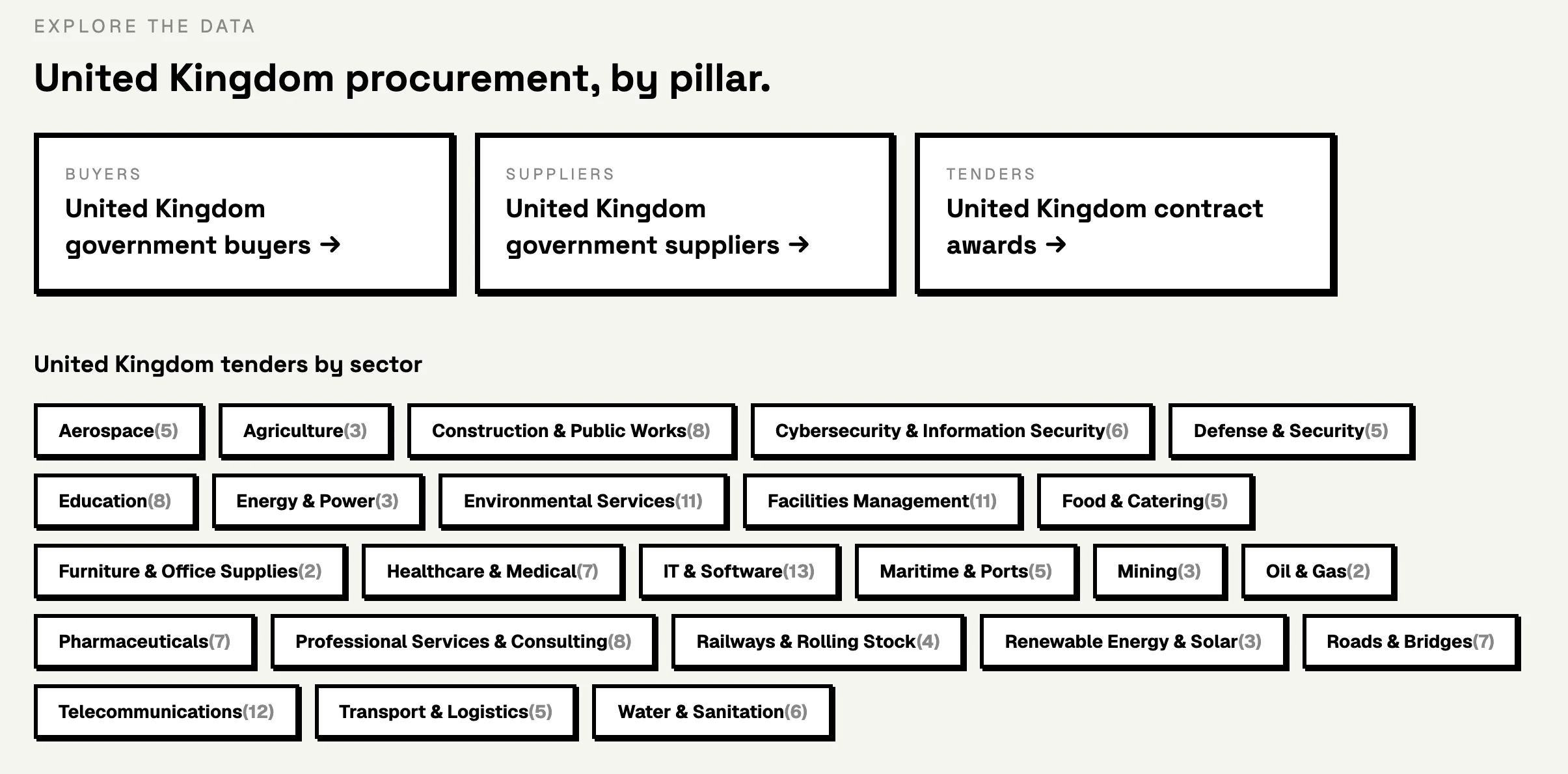
The contract awards page of each country shows the number of awards and the largest awards. Its country list shows the 64 live markets.
Step 2. Find the buyer
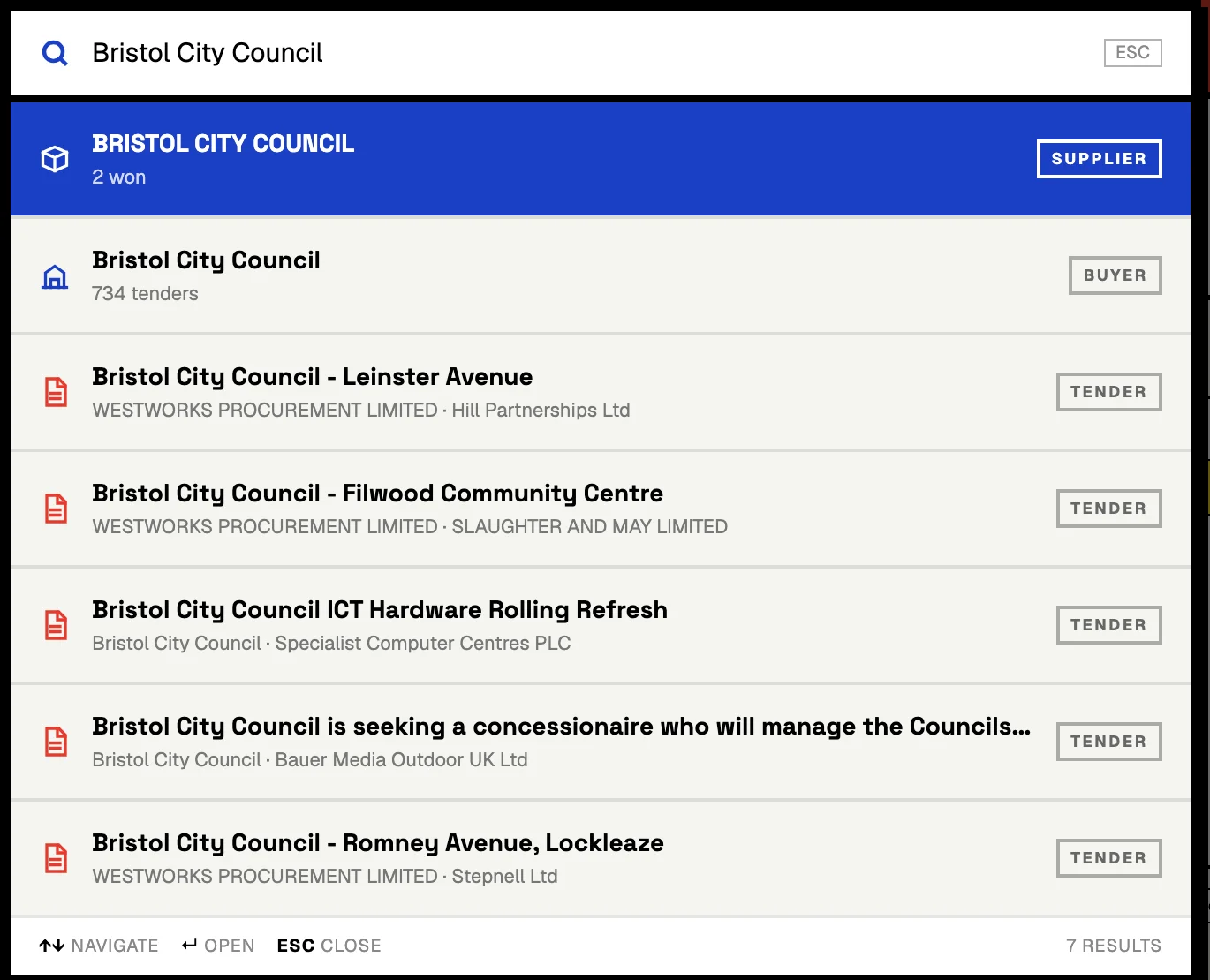
- Click the search box at the top of any page.
- Type the name of the buyer.
- Select the result with the label “Buyer”.
Step 3. Read the buyer’s award history
- Open the buyer page, for example Bristol City Council.
- Read the number of contracts, the number of suppliers and the median award.
- Look at the contracts by year.
- Read the sectors and the top suppliers.
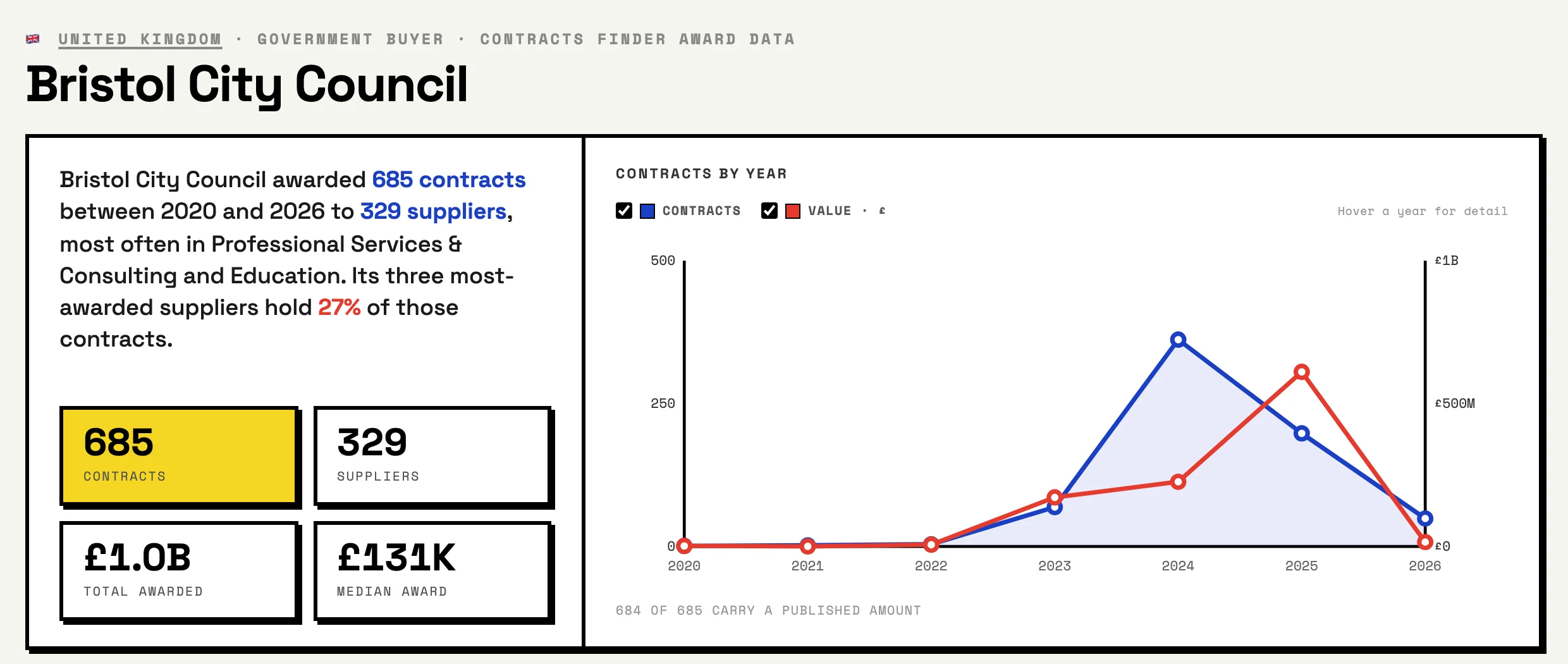
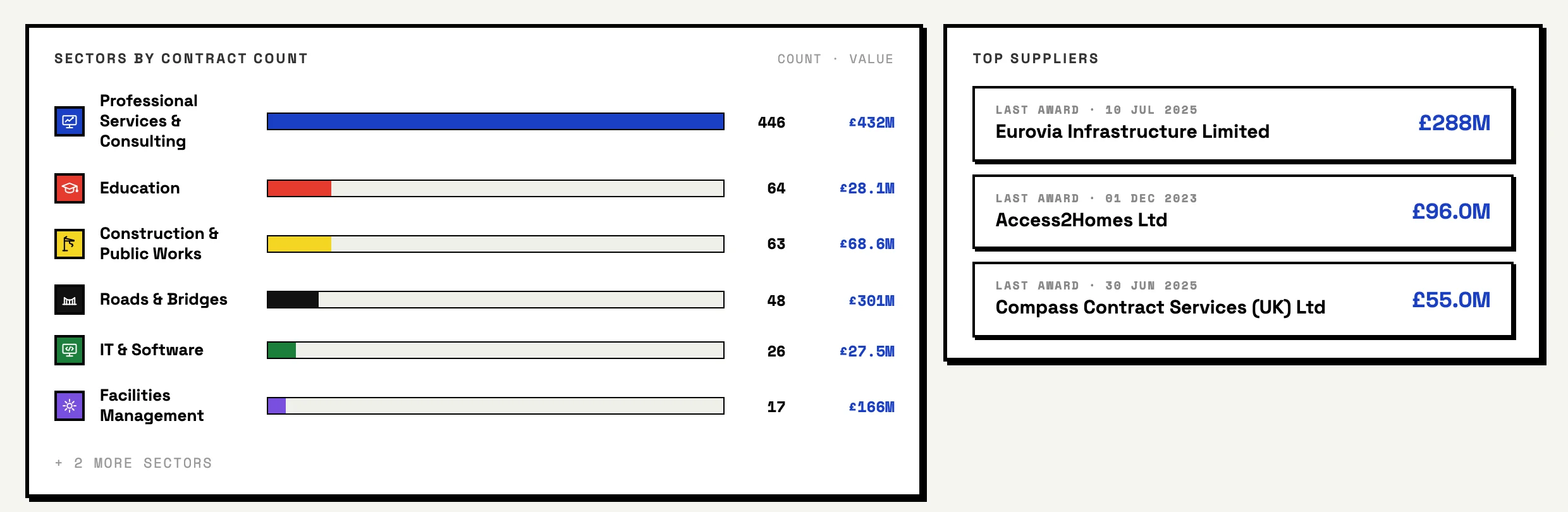
The full list of contracts needs paid access. The public page shows the three largest contracts. With paid access you see every contract with its winner, date and amount, and you can export the list.
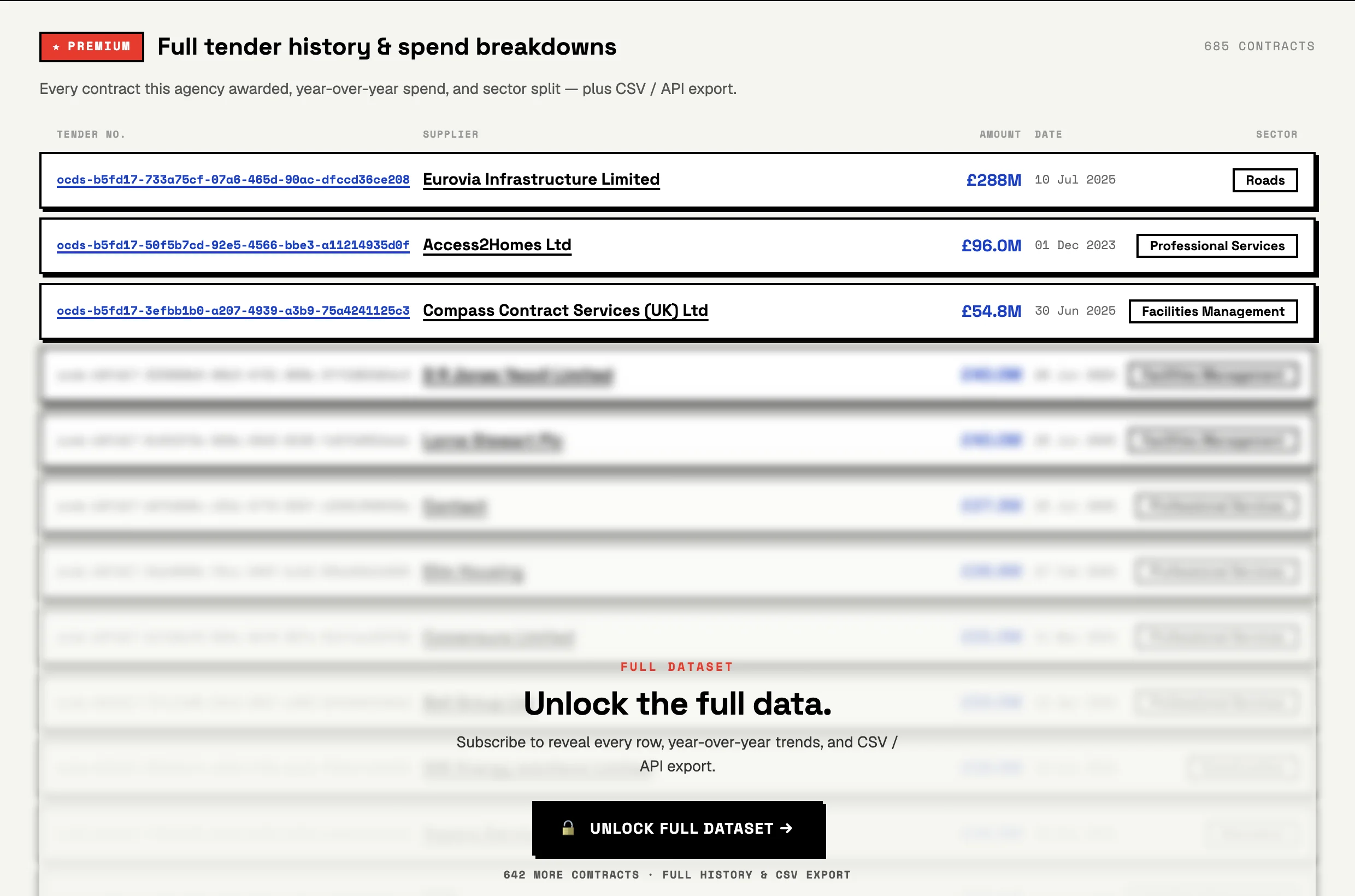
Step 4. Search with the buyer’s words (paid access)
- Sign in at app.selltostate.com.
- Type the words that the buyer uses in its award titles.
- Filter by country, buyer, supplier, sector, year and amount.
- Add the awards that you want to keep to a saved list.
This step has no screenshot, because this guide shows public pages only. The filters are the ones in our public API documentation, which also covers the CLI and the MCP server.
Step 5. Export the list (paid access)
- Export the result to CSV. On the monthly and annual plans, one file holds up to 5,000 rows.
- For more rows or a daily job, use the API or the CLI (see below).
Search by location and sector
Location. The country is the first filter. Inside a country, the buyer is the location: a city council, a county, a regional health body. So a tender search by location in our data is a search by country, then by buyer.
Sector. Each country page links to sector pages, for example IT or roads in the United Kingdom. Our sector labels come from keywords in the award title. We checked 50 random UK awards from the last 12 months: the label was right for 24, wrong for 22 and unclear for 4. Use the sector as a first cut, then search with words.
Advance tender search. An advance tender search combines the filters: a keyword, a country, a buyer, a supplier, a sector, a year and an amount range. Start wide, read 20 results, then add one filter at a time.
Before you bid: who won the buyer’s last 20 contracts
Before you bid, look up who won the buyer’s last 20 contracts. The list shows how the buyer buys and who you compete with. Here are the last 20 contract awards that Bristol City Council published on Contracts Finder, from 9 June to 25 August 2026.
Seven of the 20 went to one neutral vendor. Constellia Public Ltd won jobs for architecture, cost consultancy, bridge design and a heating compliance project. In January 2024 Constellia announced that Bristol had appointed it as a neutral vendor for professional services, under the SEWTAPS framework (Constellia). A neutral vendor passes each job to the suppliers in its own pool. So a consultancy that wants this work registers with Constellia, which says that joining is free (Constellia).
Four were lots of the council’s own highways framework. Cambrensis Civil Engineering (twice), Eurovia Infrastructure and ETM Contractors won call-offs under Bristol’s “Highways Asset Management and Civils Framework”. To win these jobs, a contractor needs a place on that framework.
Four went to suppliers with no earlier Bristol award in our records. Showcase PSR won a furniture contract and Civica UK election software. AVC Wise won a staff pension scheme, and Stepnells 23 social rent apartments for £6.97 million. The other 16 contracts went to suppliers that had won from Bristol before.
Three checks for your own buyer:
- Count the different suppliers in the last 20. In Bristol: 13.
- Count the awards that went through a framework or a neutral vendor. In Bristol: at least 12.
- Count the awards to suppliers with no earlier award from this buyer. In Bristol: 4.
Bid search and RFP search: the words buyers use in each country
A government RFP search that uses only “RFP” misses most awards. We counted the words in the titles of 121,336 award records in nine English-language markets. “RFP” or “request for proposal” is in 9.4% of the titles in New Zealand, 2.4% in South Africa and 1.4% in Singapore. In the United Kingdom and Ireland it is in fewer than 1 in 1,000.
Buyers write what they buy, with their own verb. In Tanzania, 75.0% of the titles say “supply”, and in Kenya 45.0%. In Singapore and Ireland, more than a third say “provision of”. In Malta, 32.1% say “framework”, and in Ireland 24.0%. “Bid” is in 1.6% of the titles at most, in South Africa. So a bid search works best with the thing you sell and the buyer’s verb. Try “supply of laptops” in Kenya or “provision of cleaning services” in Singapore.
Outside English, search in the language of the record
The table uses software as the example. Each title is a real award title from our records. Each count is the number of award titles in the last 12 months that the search words find.
| Country | A real award title | Search with |
|---|---|---|
| Germany | “Germany – Software-related services – 1516-DE-Softwarepaketierung” | “software” in the English category name: 3,520 titles |
| Spain | “Spain – Software package and information systems – SOPORTE Y MANTENIMIENTO DE LAS LICENCIAS DE LOS SISTEMAS DE CIBERSEGURIDAD PARA EL PERIODO 2026-2029” | “software” in the English category name: 1,945 titles |
| Sweden | “Sweden – Software package and information systems – Licenser och support av programvaror inom CAD och BIM” | “software” in the English category name: 791 titles. The Swedish “programvara” or “mjukvara”: 11 titles |
| Uzbekistan | “Продукты программные и услуги по разработке программного обеспечения; консультационные и аналогичные услуги в области информационных технологий” (Russian: software products and software development services; IT consulting) | words that start with “программн” (Russian for “software”): 938 titles |
| Israel | “תחזוקה שנתית לחברת מיקרוסופט על תמיכה בתוכנות מתוצרתה” (Hebrew: annual maintenance with Microsoft for support of its software) | “תוכנה”, “תוכנות” or “תוכנת” (Hebrew for “software”): 168 titles |
| Colombia | “Contratar los servicios de soporte técnico y actualización del software SAIMYR para la vigencia 2026.” | “software”: 3,714 titles |
| Dominican Republic | “Adquisición de las Licencias de Software para las Diferentes Áreas del Consejo Nacional de Competitividad” | “software”: 208 titles |
| France | “Acquisition, installation et maintenance de logiciels de gestion financière et gestion des ressources humaines” | “logiciel”: 136 titles |
In the 22 TED countries, at least 95% of the records in the last 12 months start with the English category name. Our TED guide explains those categories.
Export the results: CSV, API and CLI
All three need paid access. On the monthly and annual plans, the CSV export holds up to 5,000 rows per file. The REST API returns the same rows: /api/v1/awards as JSON and /api/v1/awards.csv as a file. Send your key in the x-api-key header. The limit is 120 data calls per minute per key (API documentation).
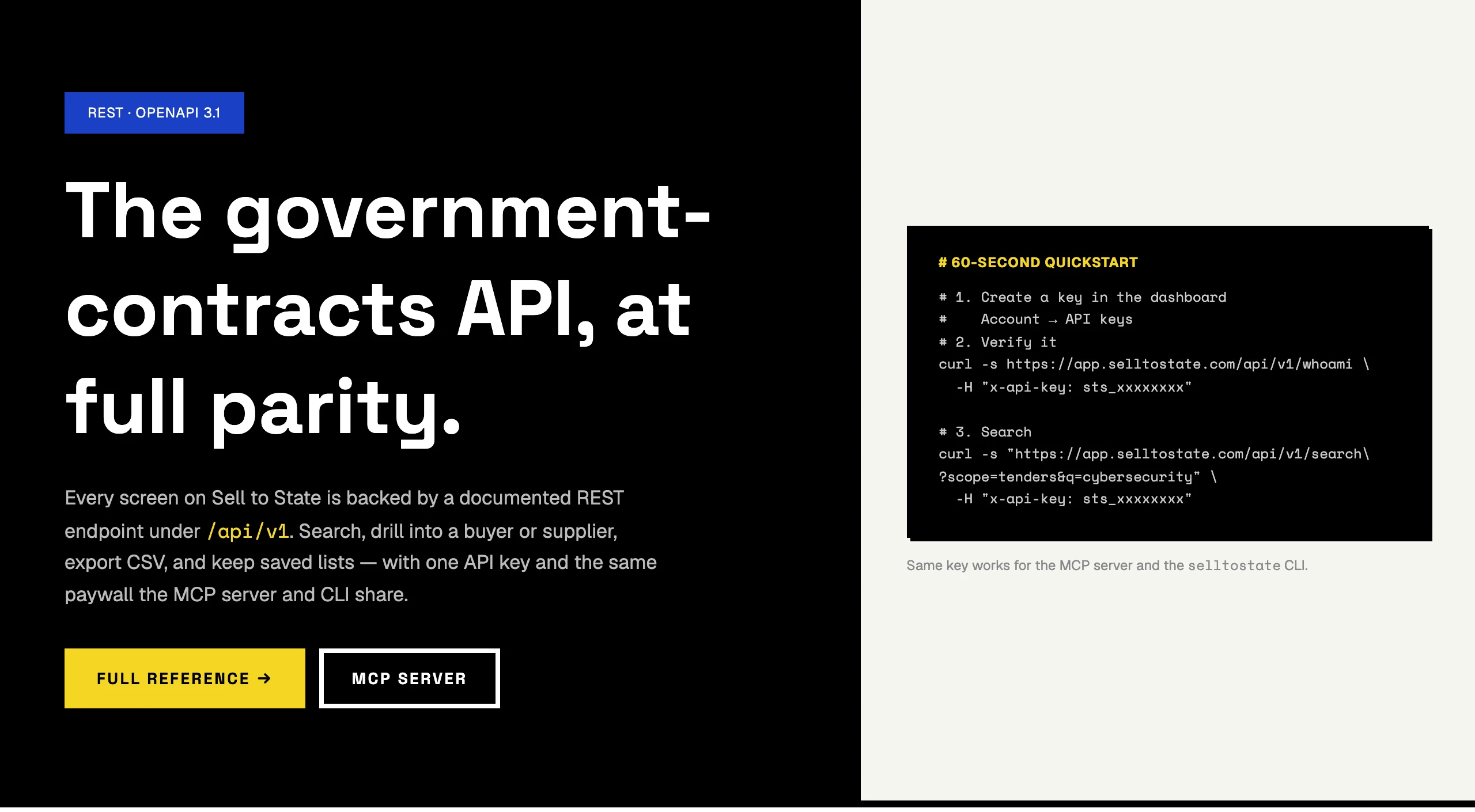
The CLI is a wrapper over the same API. Install it with npm i -g @data-atlas/cli, then run selltostate export with a buyer or a supplier and an output file. One key works for the API, the CLI and the MCP server.
AI tender search with an MCP client
An MCP client can run the search for you. Sell to State runs an MCP server at app.selltostate.com/api/mcp with 26 tools. Claude Desktop, Claude Code, Cursor or your own agent can connect to it. The tools search awards by keyword, buyer, supplier, sector, year and amount. They also open a buyer or a supplier and export a filtered set as CSV (documentation).
Ask a question that names the buyer and the period. For example, ask which suppliers won contracts from Bristol City Council in 2026, and for how much. The client can answer it with the award search tool, filtered by buyer and year. The tool calls need paid access.
Free RFP search and paid access
What is free. National portals are free to search. On Sell to State, the country, buyer, supplier, sector and award pages are free to read. A gov tender search on the portal shows the open notices; our public pages show who won.
What paid access adds. The full list of every contract, the search filters, saved lists, CSV export, the API, the CLI and the MCP server. There are three options: a $19 3-day pass (once per account), $49 a month or $499 a year (pricing). The monthly and annual plans cover the whole team.
How we counted the awards and the words
- One award record is one contract award: a buyer, a supplier, a date and, where the source gives it, an amount. The snapshot date is 2 October 2026.
- Bristol’s list uses its awards on Contracts Finder. Our import stored some awards twice, under two spellings of the supplier name. We count each award once, so three duplicate records left this list. An earlier award is any Bristol award in our records, which start in March 2022.
- We count suppliers by their normalised name. A firm under two names counts twice: Constellia appears as “Constellia Limited” and “Constellia Public Ltd”. So “no earlier award” is an upper bound.
- The word counts use the latest 12 months of each country. For the UK, Ireland, Malta and South Africa, that is September 2025 to August 2026. Singapore: May 2025 to April 2026. New Zealand: February 2025 to January 2026. Tanzania: March 2025 to February 2026. Kenya: August 2024 to July 2025. Australia: June 2025 to August 2026 (15 months), from the start of our Australian records. A word counts at the start of a word in any case, so “tender” also counts “tenders”.
- The language table counts award titles in the same 12-month windows: Germany and Spain September 2025 to August 2026, Sweden August 2025 to July 2026, Uzbekistan and Israel September 2025 to August 2026. For Colombia, the Dominican Republic and France, our records start in January 2026, so the window is January to August 2026.
- The sector check used 50 random UK award records from September 2025 to August 2026.
- This research is based on the award data behind Sell to State.
Where to go next
Start with your own market on the country pages. For the portals behind the data, read our guides to TED, eTenders in South Africa and SECOP II in Colombia. Developers can start with the API documentation.
Before your next bid: the short version
Find the buyer, read its award history, then search with the words it uses. Seven of Bristol’s last 20 contracts went to one neutral vendor, and the list of winners is the place to see it. Before you bid, look up who won the buyer’s last 20 contracts.